Record every sound
Capture all computer audio, regardless of which headphones, speakers, or output device you are using.
Private, local audio capture
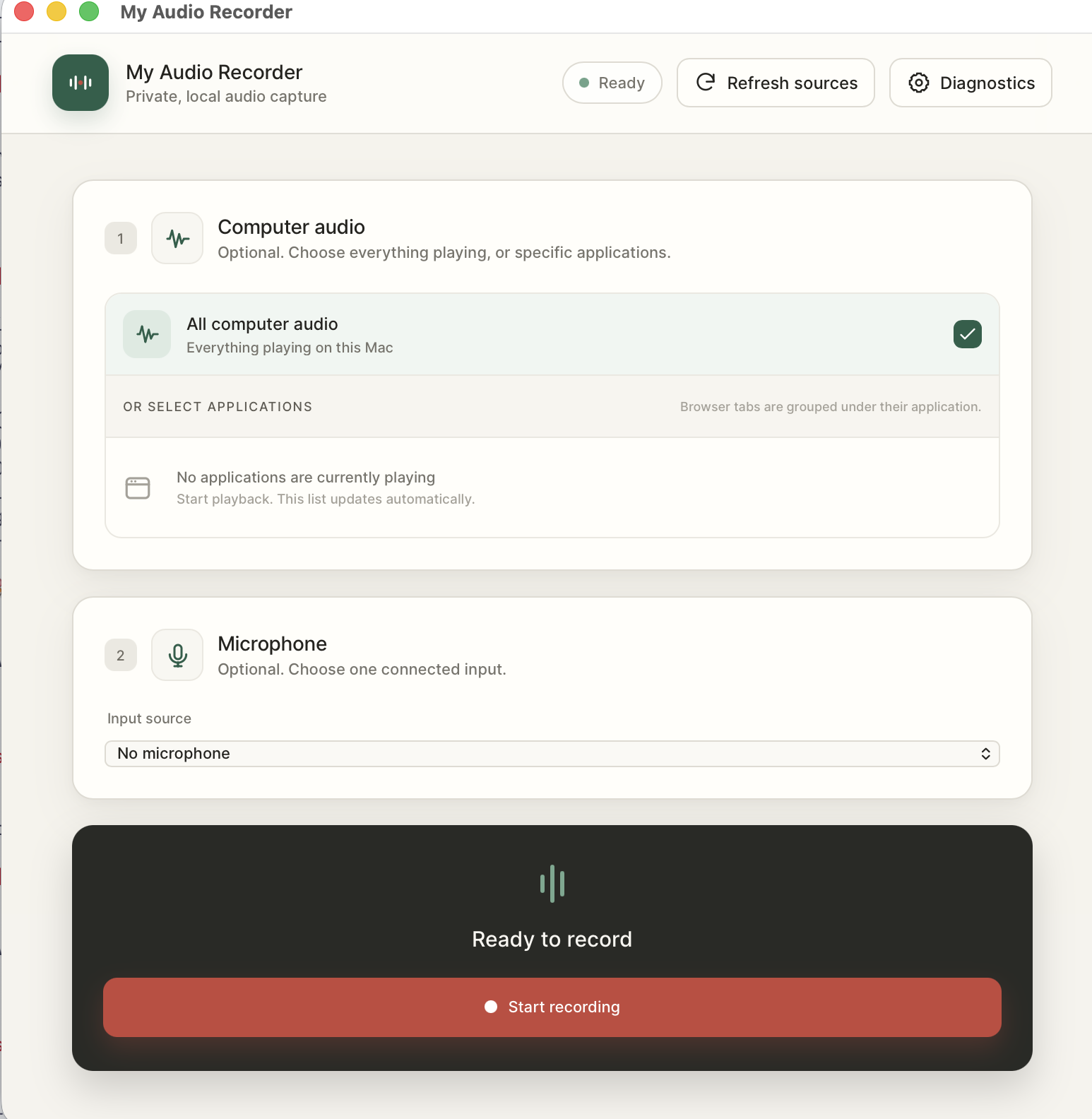
Capture Zoom calls, Google Meet conversations, any sound playing on your computer, and your microphone—without sending audio to the cloud.
Core functionality
A focused desktop recorder for meetings, research, demonstrations, and any moment when the sound matters.
Capture all computer audio, regardless of which headphones, speakers, or output device you are using.
Record Zoom, a browser, a media player, or several selected applications without capturing everything else.
Include your voice alongside the computer audio and keep every source aligned from start to finish.
Save one ready-to-use recording or synchronized files for each selected source when you need editing control.
Made for real workflows
Capture the conversation from Zoom or Google Meet, add your microphone, then save a single mixed file or separate synchronized tracks for editing.
Your audio stays yours
My Audio Recorder captures and writes files on your computer. Your calls, microphone audio, and saved recordings are not sent to our servers.
Linux release · v0.0.3
The trial is included in every installer. No account is required to start recording.
Linux package
For Debian-based distributions using PipeWire.
Linux package
For current Fedora desktops using PipeWire.
Linux package
Portable option for modern 64-bit Linux desktops.
PipeWire with pw-dump and pw-record is required. Direct or exclusive ALSA playback cannot be captured.
Windows 10 or newer. Per-application audio requires build 20348 or newer; older Windows 10 versions support whole-output capture.
macOS 14.2 or newer. System Audio Recording and microphone permissions are required.
Simple pricing
Start with the included trial. Purchase only when you are ready to record without time or recording-count limits.
One-time payment · no automatic renewal
Questions
The short version: your files stay local, and the trial lets you test the complete recording workflow.
No. Audio capture and file creation happen locally on your computer.
Yes. You can capture the meeting audio, your microphone, or both in one synchronized recording.
The trial includes three recordings, with a maximum length of two minutes per recording.
The license expires after one year. You can purchase another one-year license when you want to continue.
From the blog
Practical guides for meetings, interviews, tutorials, and local audio workflows are coming soon.
Visit the blog